 Octavo
 Octavo Sheets
Scores, ChordPro and setlists for the stage.
Octavo Sheets is your music library for rehearsals and gigs: lyrics with chords, PDF scores, MusicXML and MIDI, audio tracks and setlists – on one continuous column band, turned with a swipe or a foot pedal.
- ChordPro
- MusicXML
- MIDI
- Audio
Coming soon to the app stores
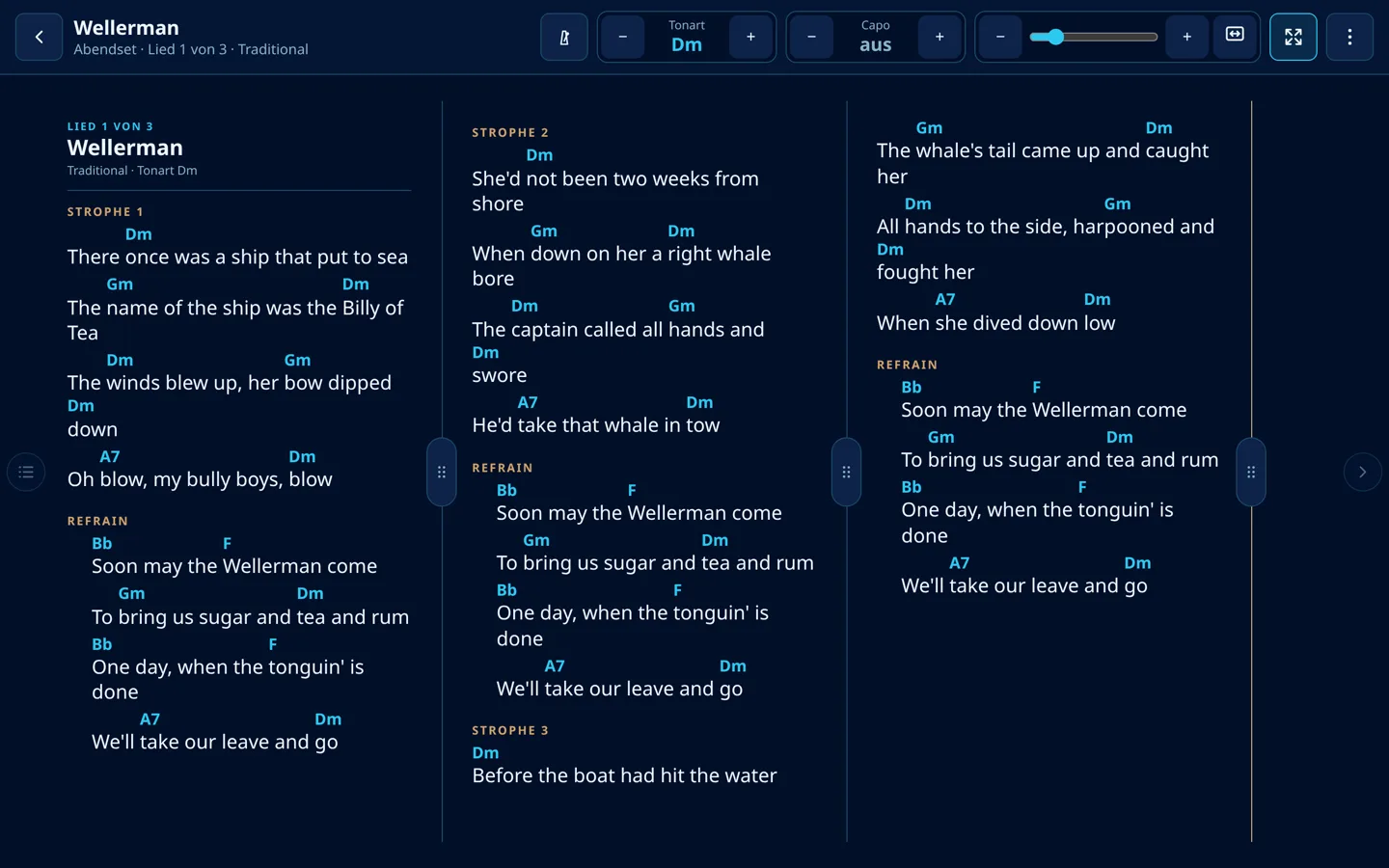
Screenshots
Octavo Sheets
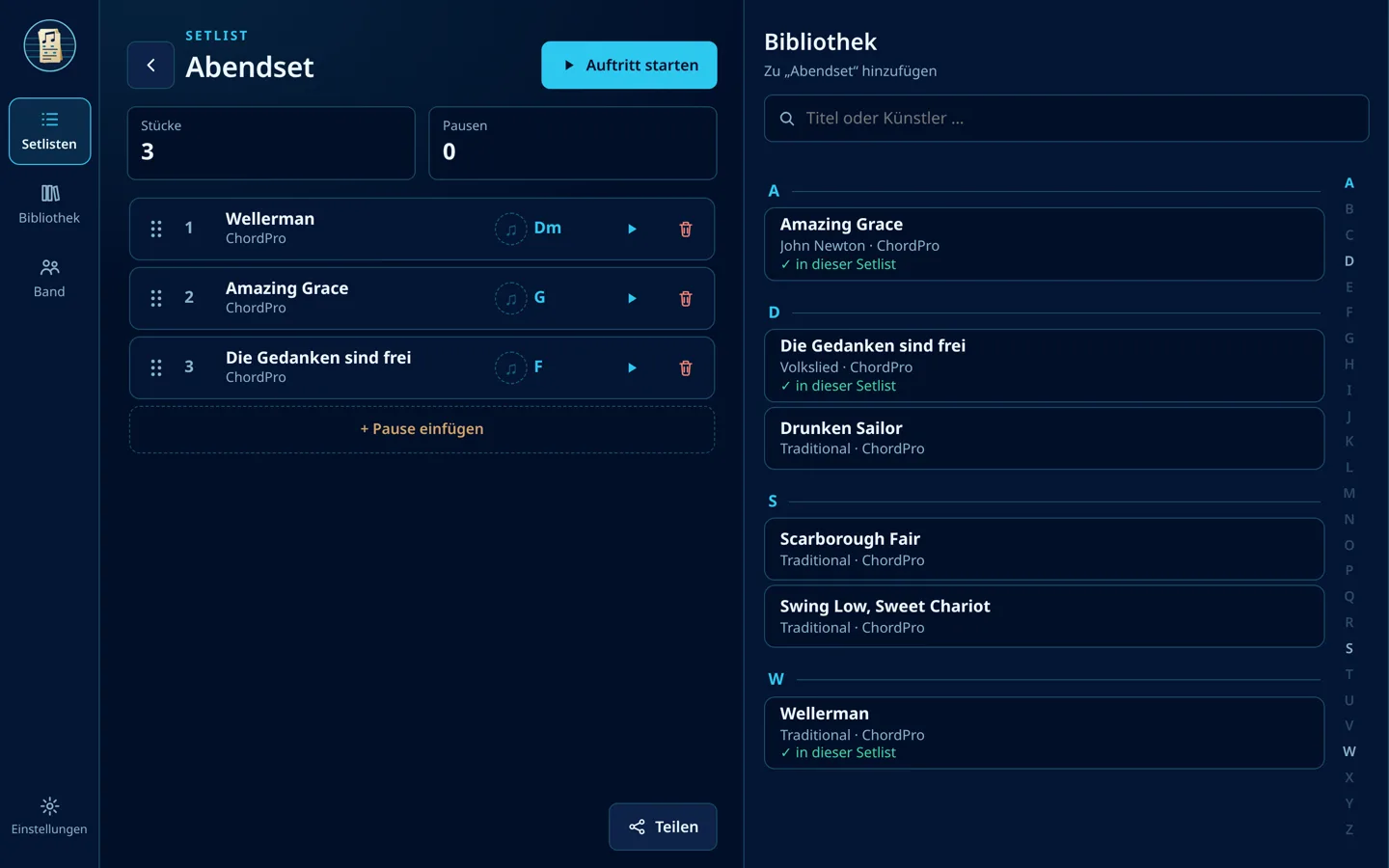
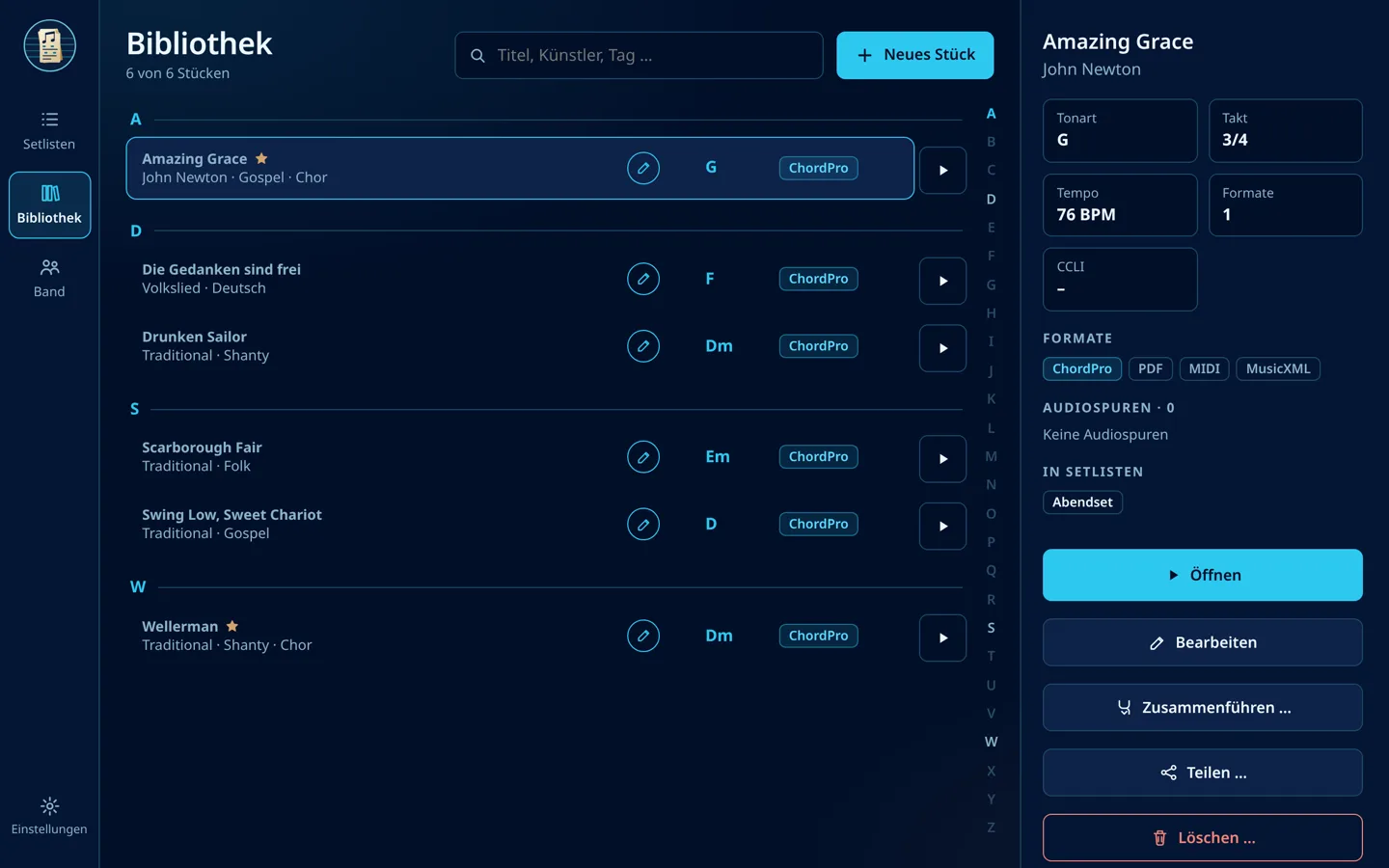
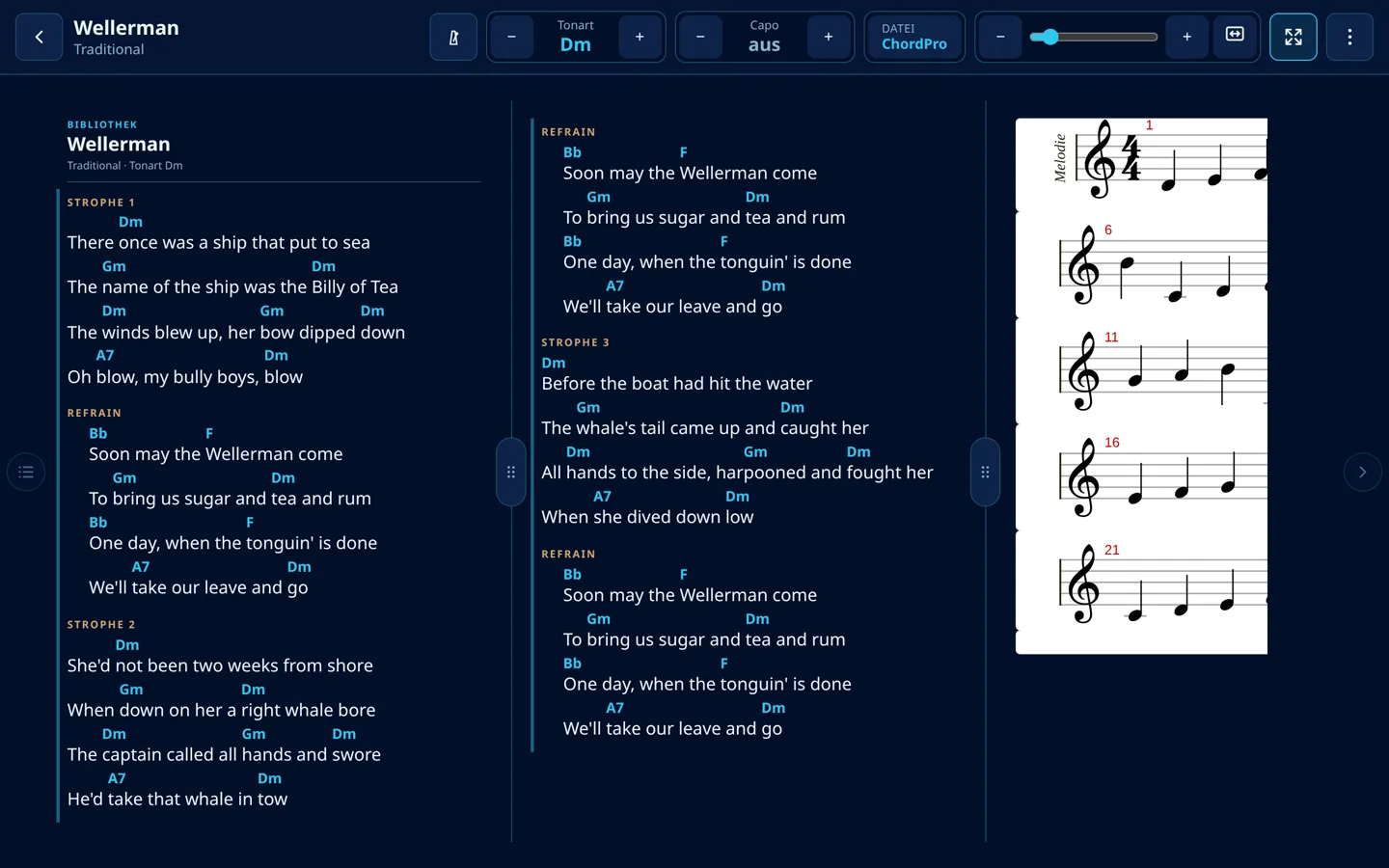
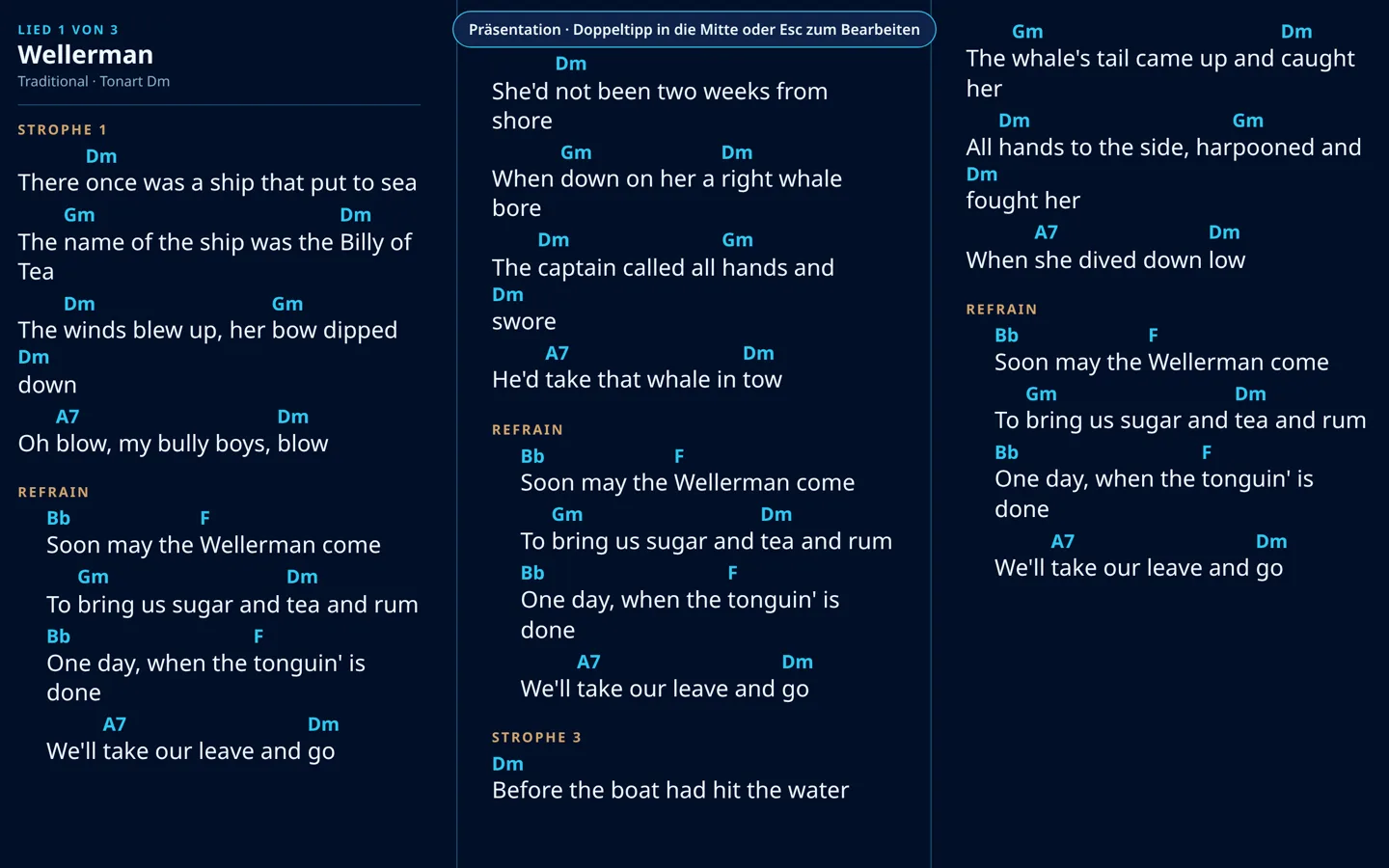
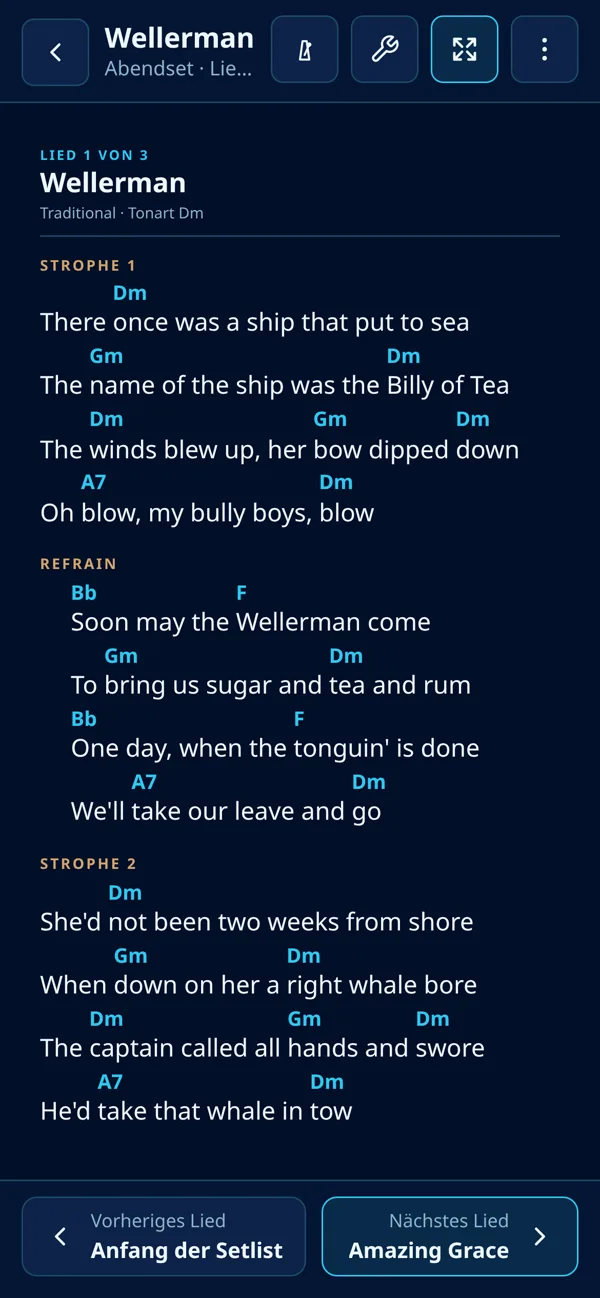
The screenshots show the German interface with sample songs.
How it works
From an empty setlist to the gig
Everyday work with Octavo Sheets in three steps.
- 01
Collect songs
Import files – ChordPro, PDF, MusicXML, MuseScore, MIDI, audio. Files with the same name become one song; title, key and tempo are taken from the file.
- 02
Build the setlist
Tap songs, reorder by handle, add breaks. Key, hidden verses or a new order of song parts apply to this setlist only.
- 03
Start the gig
On first open, auto-fit fits every song to the screen. Double-tap for the presentation, turn pages by tap, swipe, keyboard or foot pedal.
Library & import
Songs as containers
One song bundles ChordPro, PDF, MusicXML, MIDI and any number of audio tracks – with title, artist, key, tempo, time signature and tags.
Moving made easy
Import backups from MobileSheets (.msb) and OnSong (.backup) – with setlists, notes and collections as tags.
ChurchTools & SongSelect
Turn ChurchTools events into setlists and load songs straight from CCLI SongSelect (app for desktop and Android).
Share & back up
Share songs and setlists as .osheet packages; back up and restore your whole library with one click.
Song view
Column band instead of scrolling
All songs of a setlist sit side by side and you swipe column by column. Column widths by handle; zoom and auto-fit saved per song and per orientation.
Transpose & capo
Key in semitone steps with selectable spelling (♯/♭), capo from fret 1 to 11 – the chords show what you play.
Chord diagrams
Guitar shapes for every chord above the song, matching transposition and capo.
Pedal & presentation
Turn pages by foot pedal, keyboard, swipe or edge tap. Double-tap starts the presentation – line breaks stay identical.
Notes & handwriting
Long-press a song part: edit it, pin a note, mark repeats and dynamics. Plus a handwriting layer.
Rearrange song parts
Reorder, duplicate or hide verses and choruses, or generate an instrumental with all the chords.
Notation, audio & rhythm
MusicXML & MuseScore
Notation laid out line by line, transposable, with voices you can show or hide and built-in playback.
Hear and send MIDI
Show and play MIDI files as notation – optionally sent to a MIDI interface or keyboard.
Audio tracks
Several tracks per song, reorderable, with a mini player – including transposed copies.
Metronome & drums
Tap tempo, time signatures from 2/2 to 8/32 and optional drum grooves: rock/pop, worship, ballad, shuffle, waltz and more.
Band
Band on your Wi-Fi
Devices on the same network find each other automatically. The leader invites, everyone sees everyone – with role and instruments.
Songs to the band
Send setlists and songs to everyone or individual musicians, sync libraries – no cloud, straight from device to device.
Messages & waving
Short messages to the band or a 👋 to one musician – mid-song, via a floating wave button.
Stage plan
Members as movable figures on stage. Every change goes to everyone.
Install the web app
Octavo Sheets without an app store – straight onto your device
Octavo Sheets runs as a Progressive Web App (PWA) in your browser. Once installed it starts like any other app: with its own icon on the home screen, in its own window, and even without internet.
No store, no account
No sign-up, no store download. A few taps in your browser are all it takes.
Its own app icon
Launch it from the home screen, dock or start menu – in its own window without an address bar.
Works offline
After the first load the app runs without a connection – in the rehearsal room, on the train, on stage.
Always up to date
Updates arrive automatically on the next launch. Nothing to install, nothing to maintain.
Your data stays with you
Settings and content are stored in your device’s browser – not on our server.
On every device
Phone, tablet or computer: Android, iPhone, iPad, Windows, macOS and Linux.
How to install Octavo Sheets
First open sheets.octavo-notes.com, then follow the steps for your device.
opens sheets.octavo-notes.com in a new tab
 Octavo Sheetssheets.octavo-notes.com
Android Chrome, Edge, Samsung Internet
- Open sheets.octavo-notes.com in Chrome.
- Tap the menu in the top right corner.
- Choose Install app or Add to Home screen.
- Confirm with Install. Octavo Sheets appears on your home screen and in the app drawer.
iPhone & iPad Safari (Chrome and Edge from iOS 16.4)
- Open sheets.octavo-notes.com in Safari.
- Tap the Share icon – at the bottom on iPhone, top right on iPad.
- Scroll down and choose Add to Home Screen .
- Tap Add. From now on Octavo Sheets launches full screen from your home screen.
Windows, macOS, Linux Chrome or Edge
- Open sheets.octavo-notes.com in Chrome or Edge.
- Click the install icon on the right of the address bar.
- Alternatively: menu → Cast, save and share → Install page as app (Chrome) or Apps → Install this site as an app (Edge).
- Confirm with Install. Octavo Sheets opens in its own window and sits in your start menu or Applications folder.
Mac with Safari Safari on macOS Sonoma or later
- Open sheets.octavo-notes.com in Safari.
- In the menu bar choose File → Add to Dock.
- Confirm with Add. Octavo Sheets now lives in your Dock and Applications folder.
Firefox on desktop cannot install web apps. The web version still works there – just in a browser tab. Uninstalling works like for any other app: long-press the icon, or use the menu in the app window.
Web app and app compared
The web app is ideal for trying things out and for small setlists. The full app for Windows, macOS, Linux, Android and iOS is coming to the stores – apply for the beta now.
- The web app holds up to 10 songs and 2 setlists – songs and setlists you receive in a band count too. Anything that no longer fits is announced beforehand and not taken in.
- Nothing is stored on our server: library and files stay in your device’s browser.
- Offline: after the first load the web app starts without a connection. A new version announces itself with “Reload”.
- Open with …: installed in Chrome or Edge on a computer, the web app opens ChordPro, PDF, MusicXML, MIDI and audio straight from your file manager.
- Band: in the web app you join a band via QR code; bands are started in the app. Anything you received in the band is removed when you leave.
- App only: SongSelect. ChurchTools in the web app only if your instance allows it; MIDI output only in Chrome/Edge, not on iPhone and iPad.
Your next rehearsal starts here.
Launch Octavo Sheets in your browser now or install the web app. The beta for Windows, macOS, Linux, Android and iOS is running – apply and play with the full app.